
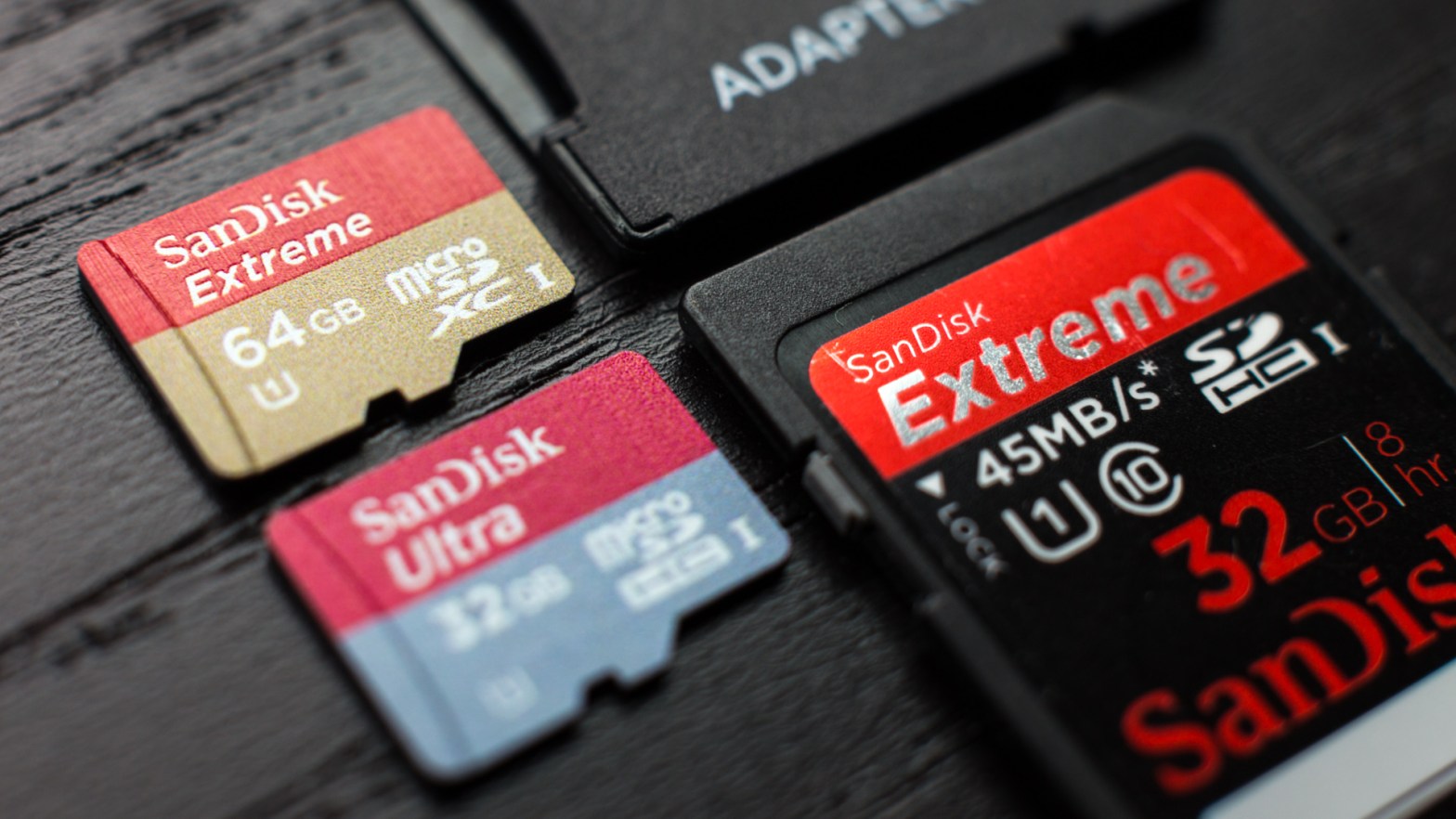
After floppy, CD, DVD etc the smallest storage device is SD( Secure digital) card and everyone uses these cards in their daily life for their cameras, smartphones, tablets, music player & many more. But have you ever watch them carefully, what the symbols inscribed on them? What are their mean? Is they helpful in selecting your card? You will find answers of these questions in this article, so read carefully till the end.
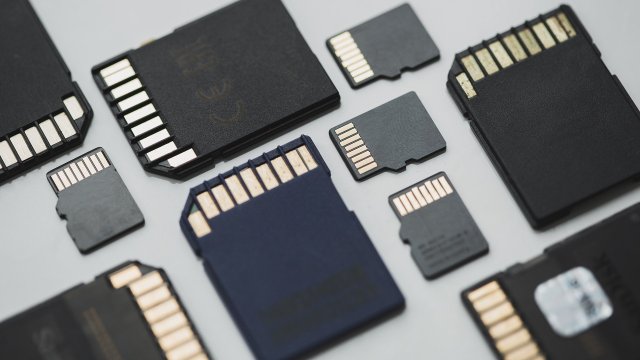
By these symbols mainly you can get the idea about the capacity & writing speed. Main factor to classify these symbols are Capacity, speed, application performance and size. Let’s understand them.
Capacity
For memory card capacity, you can find SD, SDHC, SDXC, SDUC etc which indicates about their storage capacity.
SD : upto 2GB storage using FAT 12& 16 file system
SDHC : from 2GB to 32GB storage using FAT 32 file system
SDXC : from 32GB to 2TB storage using exFAT file system
SDUC : from 2TB to 128TB storage using exFAT file system
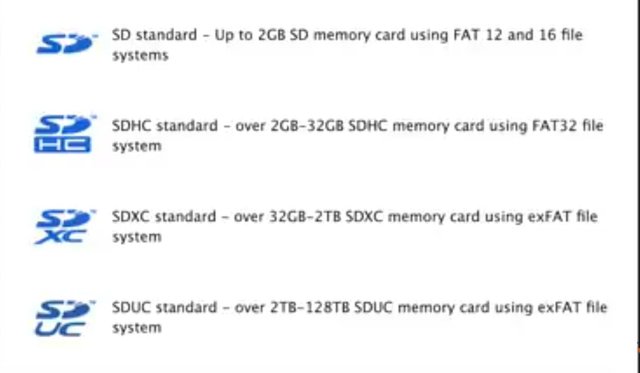
SD cards become old because of their very low storage limit. Now, you can find SDHC & SDXC mostly and these are best for your mobile and cameras.Apart from this, company directly indicate the storage capacity on memory cards like 16GB, 32GB, 128GB etc. By seeing this, you can get the idea about exact storage of the memory card.
Speed
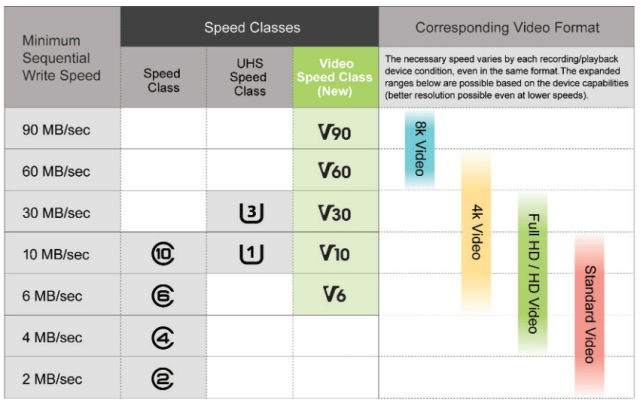
Memory cards are mainly manufactured for the camera. So, they keep in mind the writing speed of memory card according to the camera video recording. For 2K & 4K video recording it needs more writing speed than normal video recording. Some companies directly show the writing speed on memory cards but some indicate by different symbols. Mainly by three marks system
1. Speed class ( class 2,4,6,8,10)
2. UHS speed class (U1, U3)
3. Video speed class ( V6, V10, V30, V60, V90)
Have you ever observed that some mobiles or camera while taking photos/videos, they take some time to save them but some high range devices make it smooth. It’s all because of writing speed. Ao let’s understand about these speed symbols separately.
1. Speed class
Writing speed of memory card increases from class 2 to class 10. Class 2 has minimum speed 2MB/s and Class 10 has maximum speed 10MB/s. If you records HD/FHD videos and photos, then you can choose between class 6 or class 10 according to your budget. I would not suggest you class 2 but if you have old device with standard video recording then you can pick class 4.
2. UHS speed class
UHS is ultra high speed class memory cards. By the name you can understand its speed will be higher than normal speed class. It only comes in two variant. U1 has minimum writing speed 10MB/s and U3 haa minimum writing speed 30MB/s. But not all devices support UHS. If your device support UHS and your budget permit you to buy this then you can buy these, it definitely make your device faster.
3. Video speed class
This is the newest speed classification system. It ranges from 6MB/s (on V6) to 90MB/s (on V90). These are the future memory cards because 8K recording is not common yet. When 8K will roll out in devices then Video speed class will be very beneficiary.Let me clear that Class 6 & V6 are same things. Class 10, U1 & V10 are same things. U3 and V30 is same things.
Application performance
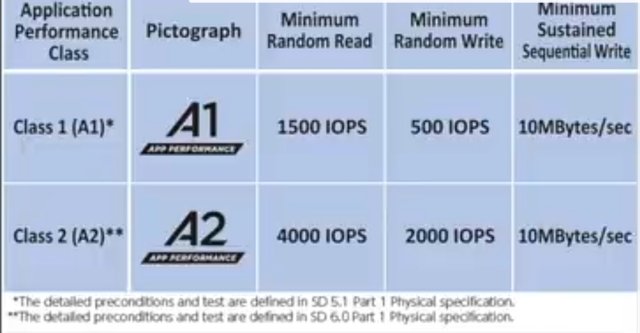
In smartphones, mobile apps speed and smoothness depend upon your storage specially if your mobile apps are installed in that storage. They are categorised as A1 and A2.A1 indicates minimum read speed 1500 IOPS (input output operations pr second) and minimum write speed 500 IOPS. Similarly, A2 indicates minimum read speed 4000 IOPS and minimum write speed 2000 IOPS.
Other factor about choosing memory card is Size, but not so Confusing.
Size
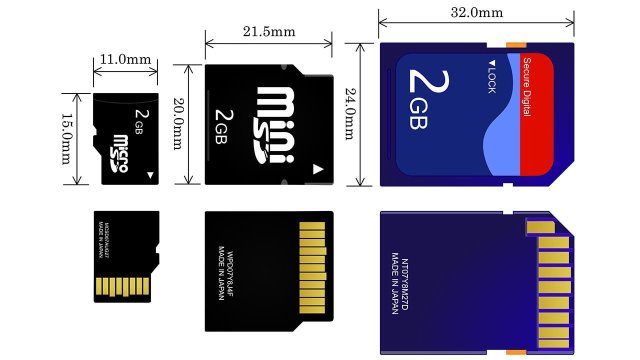
Size is not a confusing factor because you can only use the memory card which fits in your device’s slot. Memory card comes in 3 sizes.
Full Standard SD card latest in size. In dimension (32x24x2.1mm). They usually are used in digital cameras.
MiniSD card is the intermidiate version, in dimensions (21.5x20x1.4mm). It was design to make SD card size small but became unpopular because MicroSD card also launched in market soon which has more compact size than MiniSD.
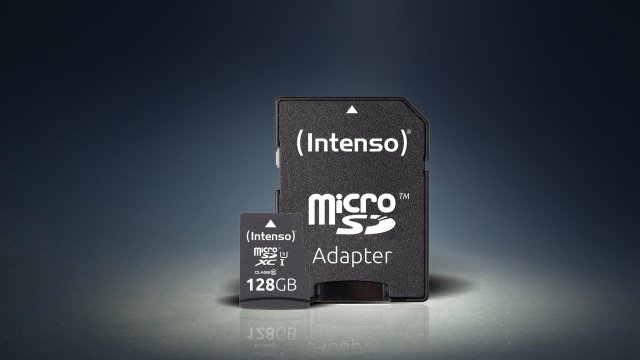
MicroSD is the smallest in size and most common in smartphones which has dimensions (15x11x1mm). You can also use adapter to convert your MicroSD card into full SD card.
I think after reading this article you get some understanding about the symbols on SD cards. Next time you buy memory cards, select card according to your device. It will also save your money.
Conclusion
If you records standard videos, capture standard photos and normal uses you can buy class 4 and even class 2 for old devices. For HD/FHD videos & photos class 6,class 10 and if your device support UHS then U1. For 4K photos & video recording class 10 or U1 or V10, U3 or V30 whichever is support your device and your budget.
Amazon link to buy memory cardsClick here
If you find this article helpful then please like, share and you can ask questions and give me suggestions by your comments.
 Techistan